


Telephone: +44(0)1299 250991
Email: sales@ikonavs.com
Synergy


© 2024 Nebula Audio Ltd. All rights Reserved

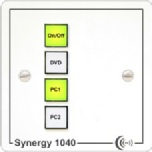
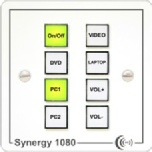
Synergy controllers are available in a number of formats to provide cost effective control with a comprehensive range of onboard facilities, supported by extensive onboard facilities, are key benefits of this innovative new range of controllers.
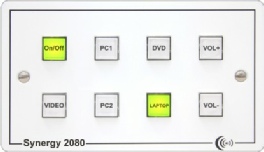
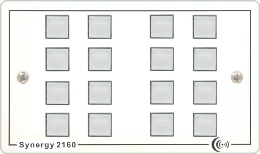
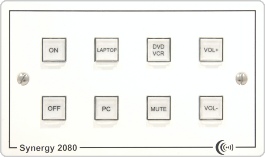
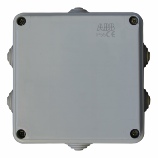
The SPC-PP1 allow the Synergies and other iKON controllers to control an electric projector screen or any other mains voltage device.
| Control |
| Audio/Video |
| Connectivity |
| Support |
| About |
| iKON PRO |
| Display Control |
| Advanced Control |
| SPC 4 |
| SPC 6 |
| SPC 7 |
| SPC-PP1 |
| Synergy |
| Octo Podule |
| SPC-PP1 |
| Buttons operation |
| Syn-Link port |
| Synergy 1040 |
| Synergy 1080 |
| Synergy 2080 |
| Synergy 2160 |
| SPC-PP1 |
| Synergy operation |
| Synergy E2083 |
| Panel upgrading |
| Buttons operation |
| Syn-Link port |
| SGA-40 |
| HPA-82 |
| Euro Plates |
| Ikon PRO Adapters |
| Euro 25mm Wide |
| Euro 50mm Wide |
| UK frames |
| Desk Modules |
| EP-A25 |
| EP-V25 |
| EP-PC25 |
| EP-GC25 |
| EP-USB25 |
| EP-SPK25 |
| EP-RJ45B |
| EP-25-BLANK |
| EP-A25B |
| EP-LVC-25 |
| EP-LVC-25-W |
| EP-PC50 |
| EP-PC50-ST |
| EP-PC50V |
| EP-PC50V-ST |
| EP-PC50J |
| EP-PC50J-ST |
| EP-HDMI50-90 |
| EP-HDMI50-ST |
| EP-HDMI50 |
| EP-DVI50-ST |
| EP-XLR50-3M |
| EP-XLR50-3F |
| EP-13AB |
| EP-50-BLANK |
| EP-LVC-51 |
| EP-LVC-51-W |
| EP-50FW |
| EP-50FSC |
| EP-50FC |
| EP-50FSB |
| EP-100FW |
| Contact Support |
| Configuration tools |
| Documentation |
| Firmware |
| How to guides |
| About |
| Contact us |
| Why Choose iKON |
| Delivery Policy |
| Returns Policy |
| Warranty & Repairs |
| RoHS & WEEE |
| Request Pricelist |
| Ethernet |
| Modules |
| Resources |
| iKON AVS |
| Adapters |
| Synergy E2083 |
| EtherLink 232 |
| EtherLink Lite |
| EtherPower 80 |
| MTX-A88 |
| DM-232 |
| DM-485 |
| DM-Balance |
| DM-Serial |
| How to guides |
| Images |
| OEM |
| Whitepapers |
| Manuals |
| PodFlow Software |
| Podules |
| Other PRO |
| USB-ST |
| RJ45-ST |
| HDMIs |
| X3 XLR adapters |
| DADO-OEM |
| FBA-1 |
| LVC-25 |
| LVC-51 |
| Synergy |
| Octo Podule |
| SPC-PP1 |
| Buttons operation |
| Syn-Link port |
| Synergy 1040 |
| Synergy 1080 |
| Synergy 2080 |
| Synergy 2160 |
| SPC-PP1 |
| Synergy operation |
| Synergy E2083 |
| Panel upgrading |
| Buttons operation |
| Syn-Link port |
| Synergy E2083 |
| Panel upgrading |
| Buttons operation |
| Syn-Link port |